


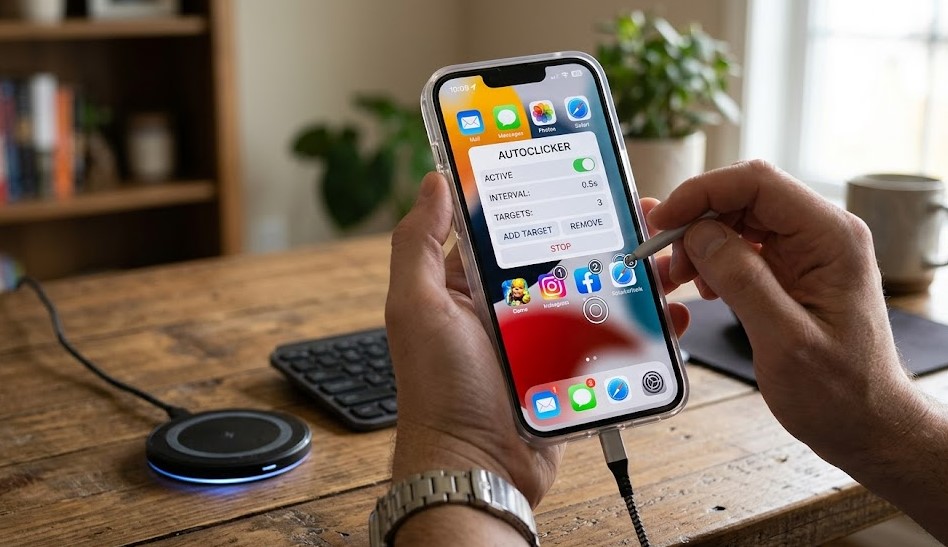
The biggest reason an autoclicker for iphone does not work like it does on Android is because of Apple’s strict system restrictions. iOS is built with a closed security model, which means apps are heavily isolated from each other. This prevents any application from controlling another app’s screen, inputs, or background processes. As a result, no third-party app can perform continuous automated tapping across the system, which is the core function people expect from an auto clicker.
Apple also enforces strict App Store policies that block apps from simulating system-wide touch automation. Any app that tries to mimic global screen tapping is either rejected or heavily restricted. This ensures better security, privacy, and protection from misuse, but it also limits automation tools significantly. Because of these rules, users searching for autoclicker for iphone often find that available solutions are either very limited or only work within specific app environments, not across the entire device.
Switch Control as built-in alternative
One of the closest official alternatives to an autoclicker for iphone is Apple’s built-in accessibility feature called Switch Control. This tool is designed to help users who have difficulty interacting with the touchscreen, but it can also be configured to perform repeated taps and simple automated actions. Unlike third-party apps, Switch Control is fully supported by iOS and does not require any installation, making it a safe and reliable option for basic automation needs.
Switch Control works by allowing users to create custom gestures or scanning patterns that can repeat certain actions on the screen. For example, it can be set up to tap specific areas automatically after a delay or cycle through options and activate them. While it is not as fast or flexible as a traditional auto clicker, it provides a controlled way to simulate repetitive tapping within Apple’s restrictions. This makes it the most practical built-in solution for users who want limited automation on iPhone without jailbreaking or using unsafe tools.
Third-party apps on App Store (what they really do)
When users search for an autoclicker for iphone, they often find several third-party apps on the App Store that claim to offer automatic tapping or screen clicking features. However, these apps are not true system-wide auto clickers. Instead, they are usually limited automation tools that only work within their own environment, such as a built-in browser, a specific interface, or a controlled app window. They cannot interact with other apps like games or social media platforms due to iOS security restrictions.
In reality, most of these apps function as scripted tap tools or gesture repeaters rather than full automation systems. They may allow users to record simple actions or repeat taps in a controlled session, but they still require manual activation and often stop when you switch apps. Because of Apple’s strict policies, any app attempting to offer unrestricted auto clicking is quickly removed or rejected. This is why many users feel confused or disappointed when downloading apps labeled as autoclicker for iphone, as they do not provide the level of automation expected from Android-style tools.
Jailbreak solutions (risks and realities)
Some users searching for an autoclicker for iphone come across jailbreak methods as a possible solution. Jailbreaking means removing Apple’s built-in software restrictions to gain deeper control over the iPhone system. In theory, this can allow installation of unofficial apps and tweaks that may include advanced auto-clicking features similar to Android devices. Because of this, jailbreak communities often promote tools that claim to offer full screen automation and continuous tapping.
However, in reality, jailbreaking comes with serious risks and limitations. It can void your device warranty, reduce system stability, and expose your iPhone to security threats such as malware or data leaks. Additionally, newer versions of iOS have made jailbreaking significantly more difficult, meaning many tools are outdated or incompatible with modern devices. Even if an auto clicker tweak is installed, it may not work reliably across all apps and can crash frequently. For these reasons, jailbreak-based solutions are generally not recommended for users looking for a safe and stable autoclicker for iphone experience.
Best safe alternatives in 2026
Since a true autoclicker for iphone is not fully supported on iOS, users in 2026 are increasingly turning to safer and more practical alternatives. The most reliable option remains Apple’s built-in automation tools, especially Switch Control and AssistiveTouch. These features allow users to simulate repetitive actions like tapping, scrolling, and simple gestures without breaking Apple’s security rules. While they are not as fast or flexible as traditional auto clickers, they are stable, secure, and fully supported by iOS updates.
Another growing alternative is using Shortcuts automation, which allows users to create task-based workflows such as opening apps, sending messages, or performing repeated actions with a single tap. While it cannot perform continuous screen clicking, it can reduce manual effort significantly in daily tasks. For gaming or high-speed tapping needs, there is currently no perfect solution on iPhone, so users often combine Switch Control with timing adjustments to achieve partial automation. Overall, the safest approach is to rely on Apple-approved tools rather than risky third-party or jailbreak methods when looking for an autoclicker for iphone solution.
Conclusion
In conclusion, the idea of an autoclicker for iphone is popular, but the reality is quite different due to Apple’s strict security and privacy system. Unlike Android devices, iPhones do not allow full system-wide auto clicking or continuous screen automation through third-party apps. Instead, Apple limits automation to controlled accessibility tools such as Switch Control and Shortcuts, which offer only partial solutions. While these tools can help reduce repetitive tasks, they cannot fully replicate the speed and flexibility of traditional auto clickers.
Users often turn to App Store apps or jailbreak methods, but both come with major limitations. App Store apps are restricted to their own environments and cannot interact with other apps, while jailbreak solutions carry security risks and stability issues. Because of this, the safest and most practical approach in 2026 is to use Apple’s built-in features rather than trying to bypass system restrictions. Understanding these limitations helps users set realistic expectations when searching for an autoclicker for iphone and choose safer alternatives.
FAQs
1. Is there a real autoclicker for iPhone?
No, iPhone does not support a true system-wide autoclicker due to Apple’s security restrictions.
2. What is the closest alternative to an autoclicker for iPhone?
The closest option is Switch Control, an accessibility feature built into iOS that can simulate taps.
3. Can App Store apps act as auto clickers?
Only partially. Most apps work in limited environments and cannot click across all apps.
4. Is jailbreaking safe for using an autoclicker?
No, jailbreaking can risk your device security, void warranty, and cause system instability.
Visit to Washington Times for more info
